

Several people, in order or at once
Up to 10 signers per document. Require an order or let them sign whenever they can.
Upload your PDF, mark where each person signs and send it. Everyone signs from their own phone, with nothing to install. You get the signed PDF and a report with the evidence.
Sign in with your Google account. No card, no commitment.
This is an electronic signature with evidence, not a digital signature with a certificate. See the difference in a minute.
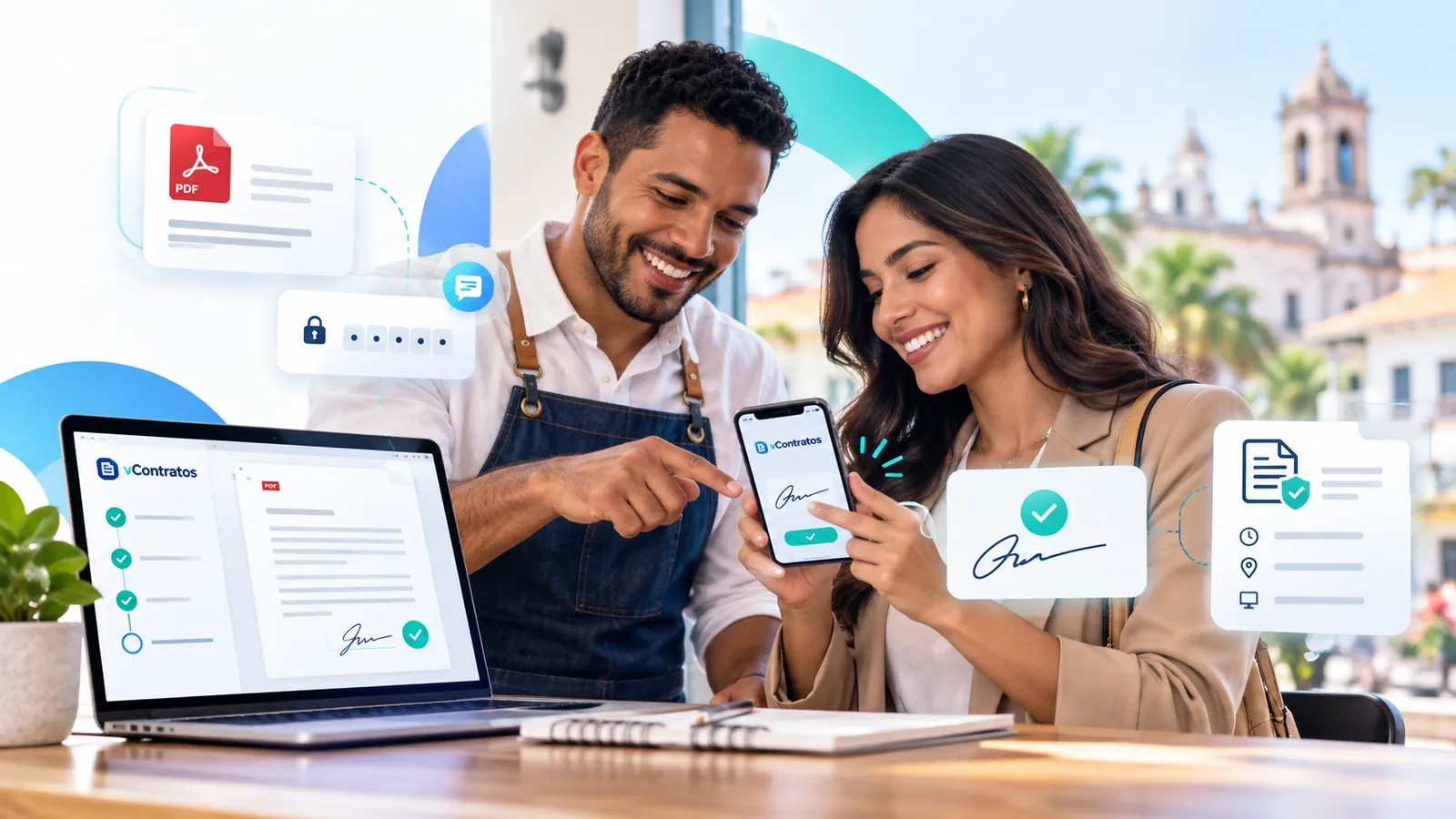
No printing, no scanning and no chasing people on WhatsApp for a photo of the paper.
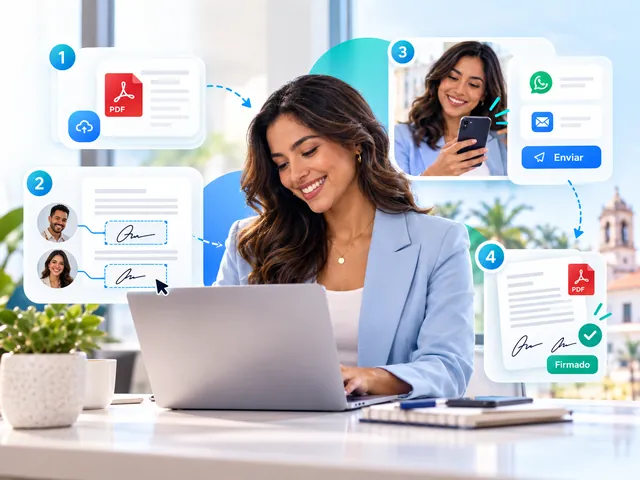
Your contract, agreement or authorization just as you already have it. If you use it often, save it as a template.
Place signature, initials, date or text boxes for each person. Up to 10 signers, in order or all at once.
Each person gets their own link, by email or WhatsApp. You can resend or cancel it whenever you want.
Each person verifies their code and signs with a finger. Everyone receives the signed PDF and the evidence report.
There are many ways to sign electronically. Here is exactly which one is ours.
INDOTEL's rule (Resolution 067-2025) distinguishes three levels. Each offers more guarantees than the one before.
Electronic data showing the intent to sign, as agreed between the parties. It is admitted as evidence and weighed case by case.
Unique to the signer, created with data under their sole control and able to detect any later change.
With a qualified certificate from an authorized provider and a qualified device. This is the level equivalent to a handwritten signature.
A report anyone can read, without jargon, to show who signed, when and how they were verified.
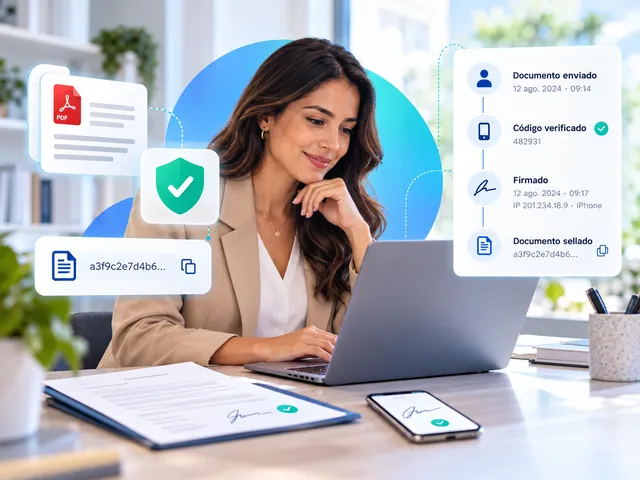
It is personal and single-use. If you pick the wrong person or document, you cancel it and it stops working.
The signed PDF carries a verification link. Upload a copy and it is compared with the original: it matches or it doesn't.
Records carry a fingerprint that depends on the record before. If someone changes one later, the chain breaks and it shows.
This is the platform's own evidence. It does not include a trusted third party's time stamp and it does not replace a lawyer's advice.
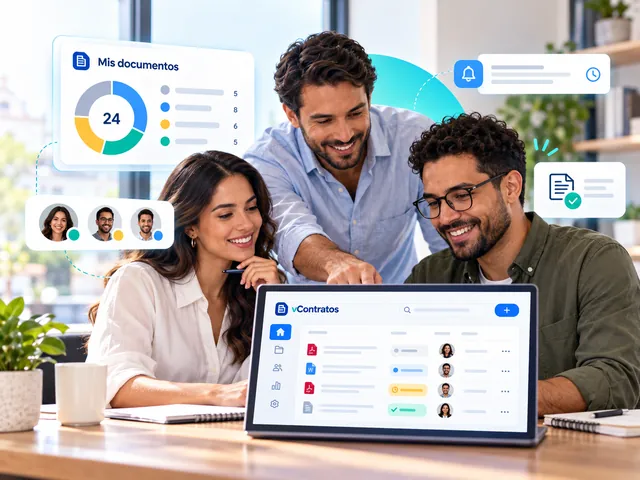
A dashboard with what matters: how many you sent, how many were signed, how long they take and who still has to sign.
Up to 10 signers per document. Require an order or let them sign whenever they can.
Signature, initials, date, text, checkbox, option list, multiple choice and file attachment.
Save any PDF as a template and reuse it by typing only who signs.
The dashboard shows who is missing and for how long. Resend the link without writing anything.
Send the draft to your lawyer or reviewer to look at before anyone signs.
Administrator, sales, legal or read-only. Each person sees and does what is theirs.
Sent, signed, signing rate and median time, compared with the previous period.
The person signing sees the document and notices in the contract's language.
Service contracts and accepted proposals, signed the same day instead of a week later.
Consents and authorizations patients sign from their phone, with no paper at reception.
Confidentiality agreements and policies accepted by suppliers, employees or customers.
| Paper and scanner | International tools | vContratos | |
|---|---|---|---|
| How the other person signs | Prints, signs and sends back a photo or a scan | From email, sometimes only in English | A link on their phone, in their language, with a code by WhatsApp or email |
| How it is charged | No direct cost, with a lot of lost time | They usually charge per user | Per company, in US dollars, by documents per month |
| What proof remains | A photo of the paper | A report from the provider | Evidence report with copy verification |
| Who supports you | — | Remote support | Olorun Sistemas, in the Dominican Republic |
You pay per company and per documents sent each month, not per user. All prices are in US dollars (US$), plus ITBIS (Dominican sales tax).
To leave paper behind and start signing from a phone.
Billed yearly · US$129 per year · You save US$51
Billed monthly · pay one month, renew whenever you like
For teams that send contracts every week.
Billed yearly · US$329 per year · You save US$139
Billed monthly · pay one month, renew whenever you like
For high-volume operations and several teams.
Billed yearly · US$799 per year · You save US$389
Billed monthly · pay one month, renew whenever you like
You pay with PayPal in the Olorun store and your account is active right away.
Create your account with Google and send up to 5 test documents. If it works for you, pick a plan; if not, nothing happens.
The trial uses email verification for signers; codes by WhatsApp are part of the Business plan. Documents already sent can still be signed and viewed.
Leave your details and we will write to you on WhatsApp or by email. You can also talk to our assistant, bottom right.
Write to us directly on WhatsApp and we will reply.
Dominican law does not deny validity or evidentiary force to a document or signature merely because it is electronic (Law 126-02). But only a qualified signature is equivalent to a handwritten one on its own. A simple electronic signature, which is what vContratos provides, is weighed case by case and depends on what the parties agreed and on the evidence.
That is why we keep the evidence of every signature. If your case is sensitive, ask your lawyer first.
No. A digital signature with a certificate is issued by an entity authorized by INDOTEL and tied to a specific person. vContratos does not issue certificates: it offers an electronic signature with evidence, based on code verification, a record of every step and a check of the document.
No. They receive a link, open it in the browser of their phone or computer, enter the code they receive and sign. There is no app and no registration.
Those the law requires to be done another way: notarial acts, wills, promissory notes and real-estate transactions, among others. If you have doubts about a specific document, ask your lawyer first.
A draft can be edited or deleted. A document already sent is not edited: it is cancelled with a reason and its links stop working; then you can duplicate it and send it corrected. A signed document is kept, never deleted.
The name and the email or phone you provide, the date and time, the IP address, the device, the code verification, the signature stroke and the document. They are there so the signature can be proven. You can see how we handle personal data in our privacy policy.
You do not need one: vContratos works in the browser, also on a phone, both for you and for the signer.
You choose your plan, pay with PayPal in the Olorun store and your account is active right away. If you already are an Olorun customer, the plan is added to your current account. Inside your account you find the step-by-step user guide. If you would rather try first, sign in with Google and get 3 days free.
Only what is needed to be able to prove the signature. You decide who receives each document.
Try it free for 3 days or choose your plan and start signing. Month to month or with a yearly discount, nothing to install.
Notice: vContratos provides electronic signature with evidence. It is not a certified digital signature and does not replace a lawyer's advice. Its value as evidence depends on the case and on what the parties agreed.